← Back to work
DV Assist: Orchestrating Enterprise AI
Recently, I had the opportunity to design an end-to-end AI co-pilot for DiligenceVault: a native AI assistant paired with a complete prompt management system that sits across the platform.
Recently, I had the opportunity to design an end-to-end AI co-pilot for DiligenceVault: a native AI assistant paired with a complete prompt management system that sits across the platform.
Elevate DV Assist from a passive text-formatting feature into an intelligent AI layer that works across every screen in the platform, helping users analyze, draft, and act in real time within their existing workflows.
Our power users were running into quality issues with the projects they shared with asset managers. They wanted a way to give managers a defined set of instructions that could apply automatically whenever a project was auto-filled.
In the meantime, clients had already started building their own solution: elaborate prompts to control response quality, draft better answers, and analyze data across questions in a project. That's when we identified a clear need for an AI orchestrator that could draft, revise, review, and analyze projects and documents with the same rigor, at scale.
I've got a spreadsheet with forty prompts in it. I just paste them in one by one every time.
Before we designed a single screen, we found investor clients hand-building prompts in spreadsheets: cross-question references, conditional logic, context-building instructions. That’s when we knew this wasn’t a feature request. It was a governance gap.
To address our power users’ pain points, I ran in-depth one-on-one interviews with three premium investor clients. My team and I also built an MVP and worked closely with one investor to study exactly what kind of prompts they were writing, which was critical to understanding real user intent.
What we found: users weren’t writing simple one-liners. They were building cross-question references, context-building instructions, conditional logic. This wasn’t a lay audience experimenting with AI. They knew exactly what they wanted from it; they just had nowhere to put it inside the product.
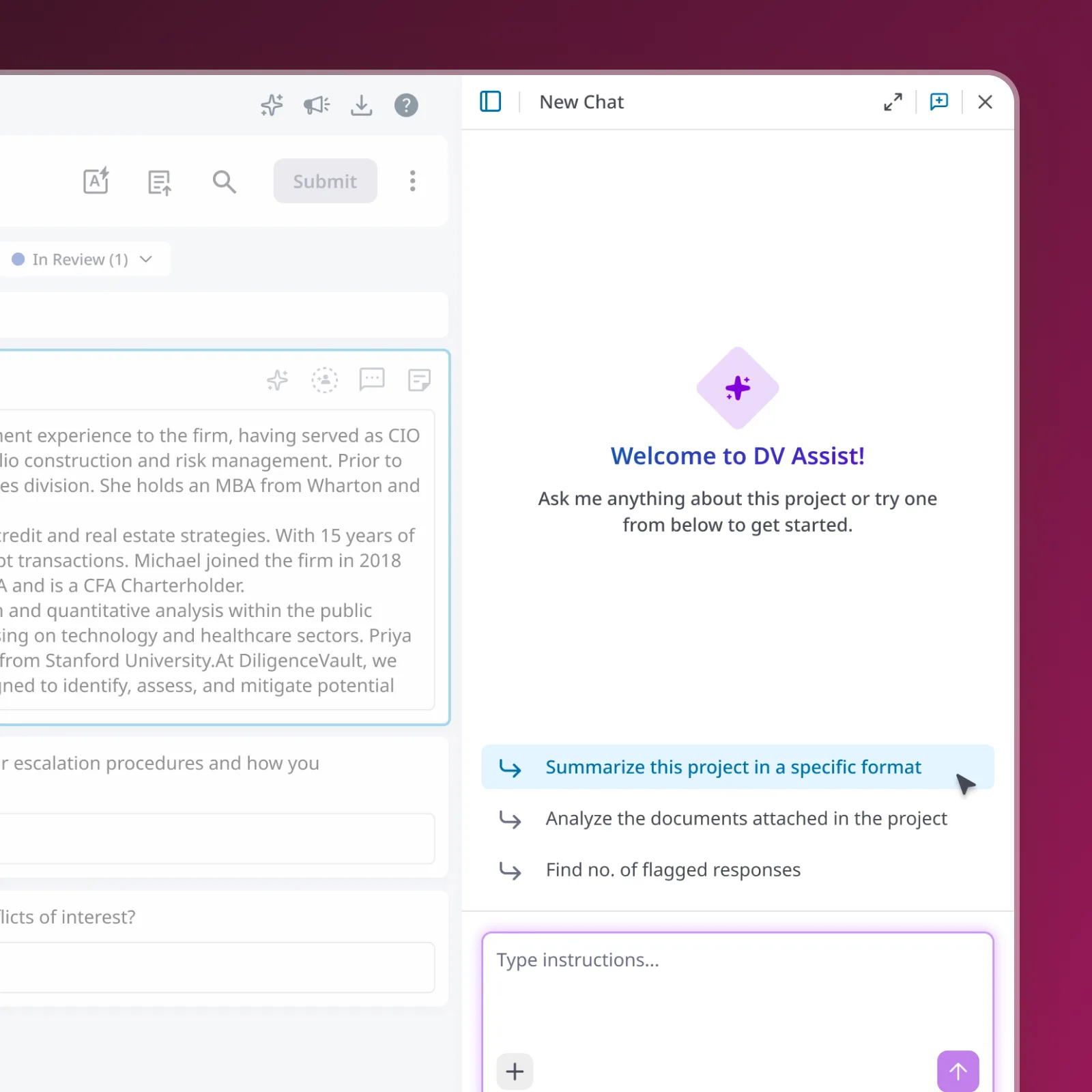
My approach was to build an intelligent AI layer, integrated seamlessly across templates, projects, and documents, one assistant that works the same way everywhere. The core idea: a robust co-pilot that can be accessed globally, pull data from any source on the platform, and respond intelligently, while letting users iterate on it in real time.
But building the co-pilot was only half the work. The bigger idea was giving power users a prompt management system the whole team could use. Output is only as good as input, so standardizing prompts was non-negotiable. That’s when the Prompt Library became the center of the system.
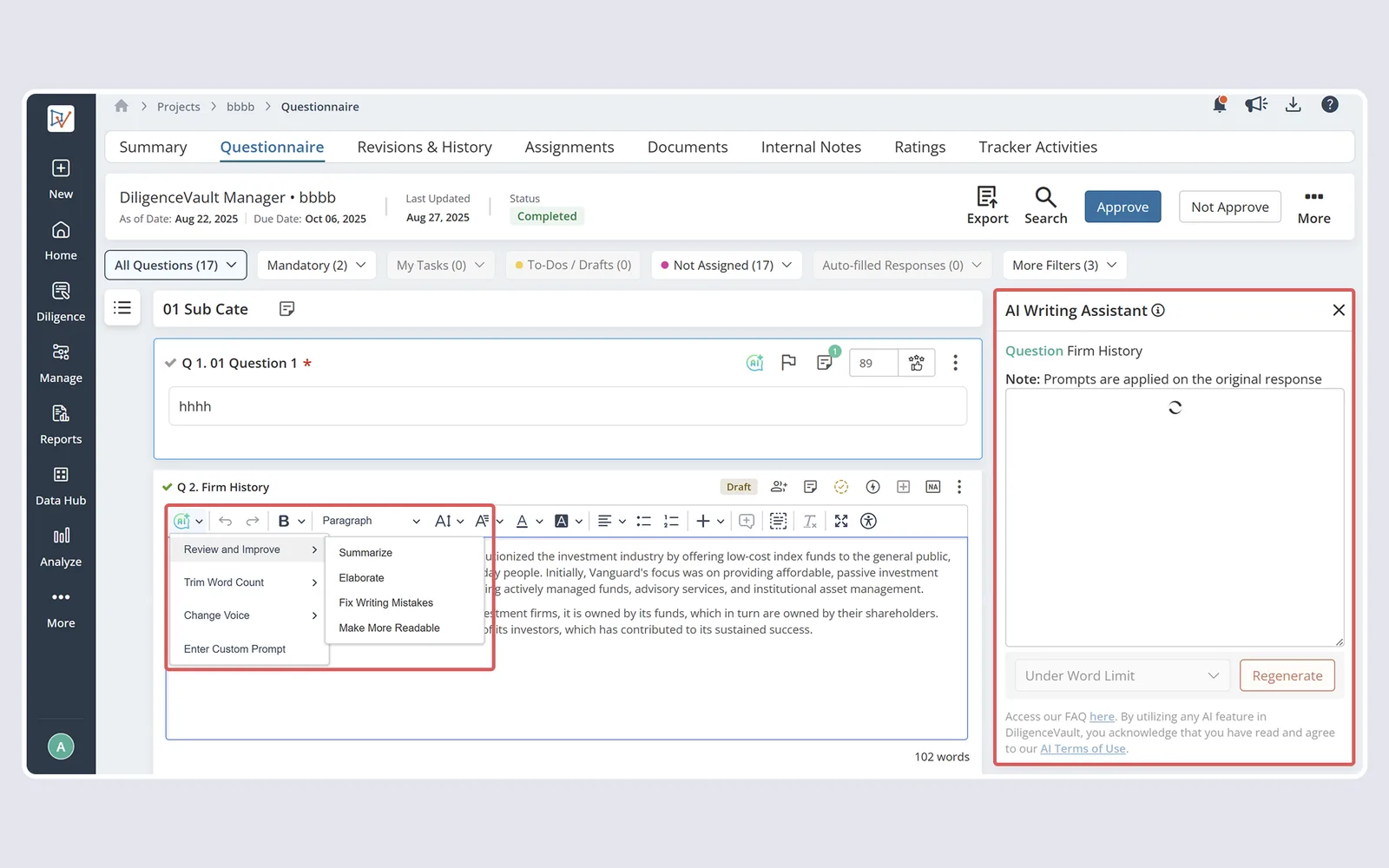
DV Assist offered passive text operations only: summarize, trim, change tone. A reactive editing tool bolted onto the response field.
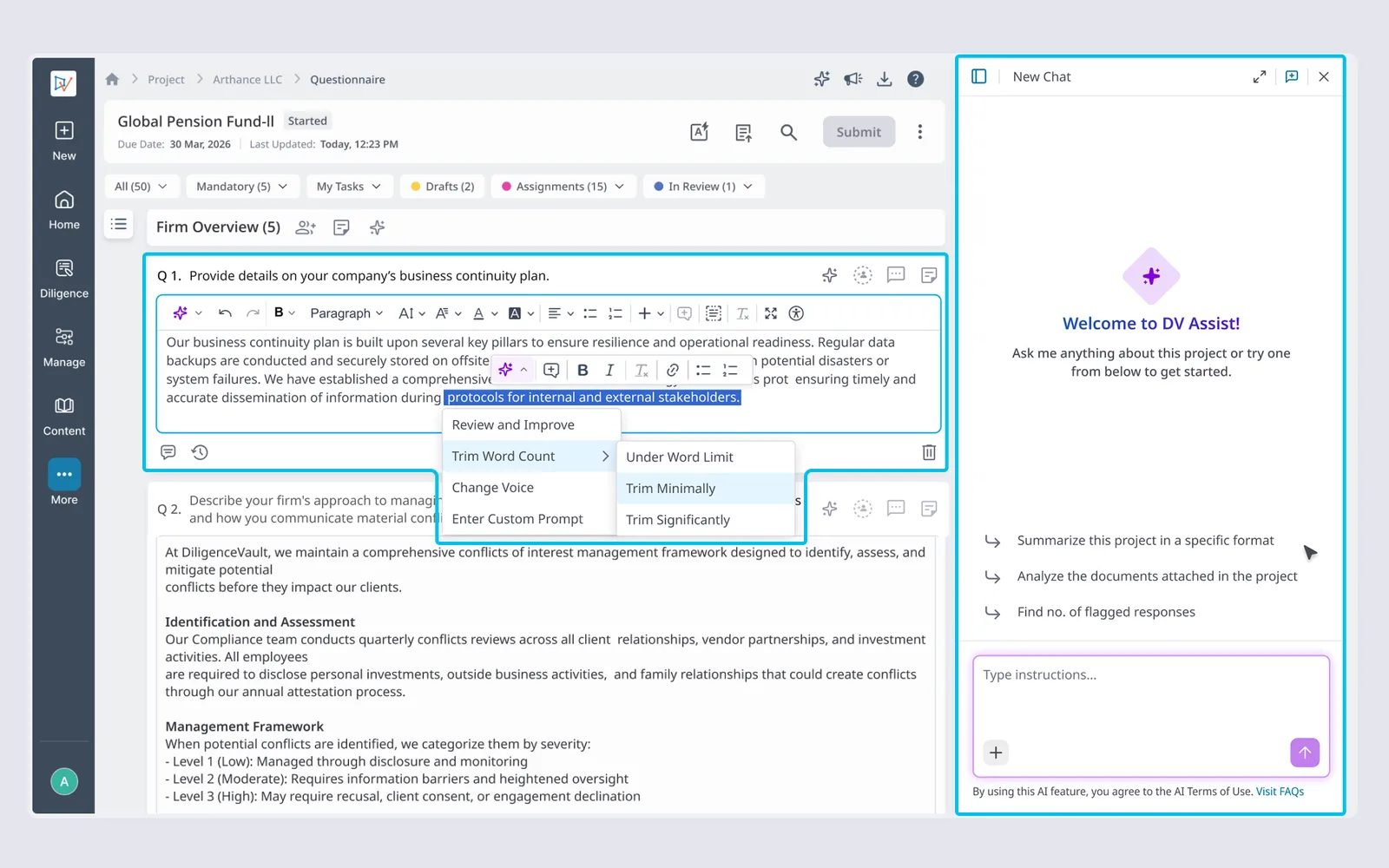
A full AI co-pilot built around a governance layer: a Prompt Library for standards, a persistent Side Panel for authoring, and Source Details for auditable AI reasoning. Investors set expectations before a response is written; the system shows exactly what ran and why after.
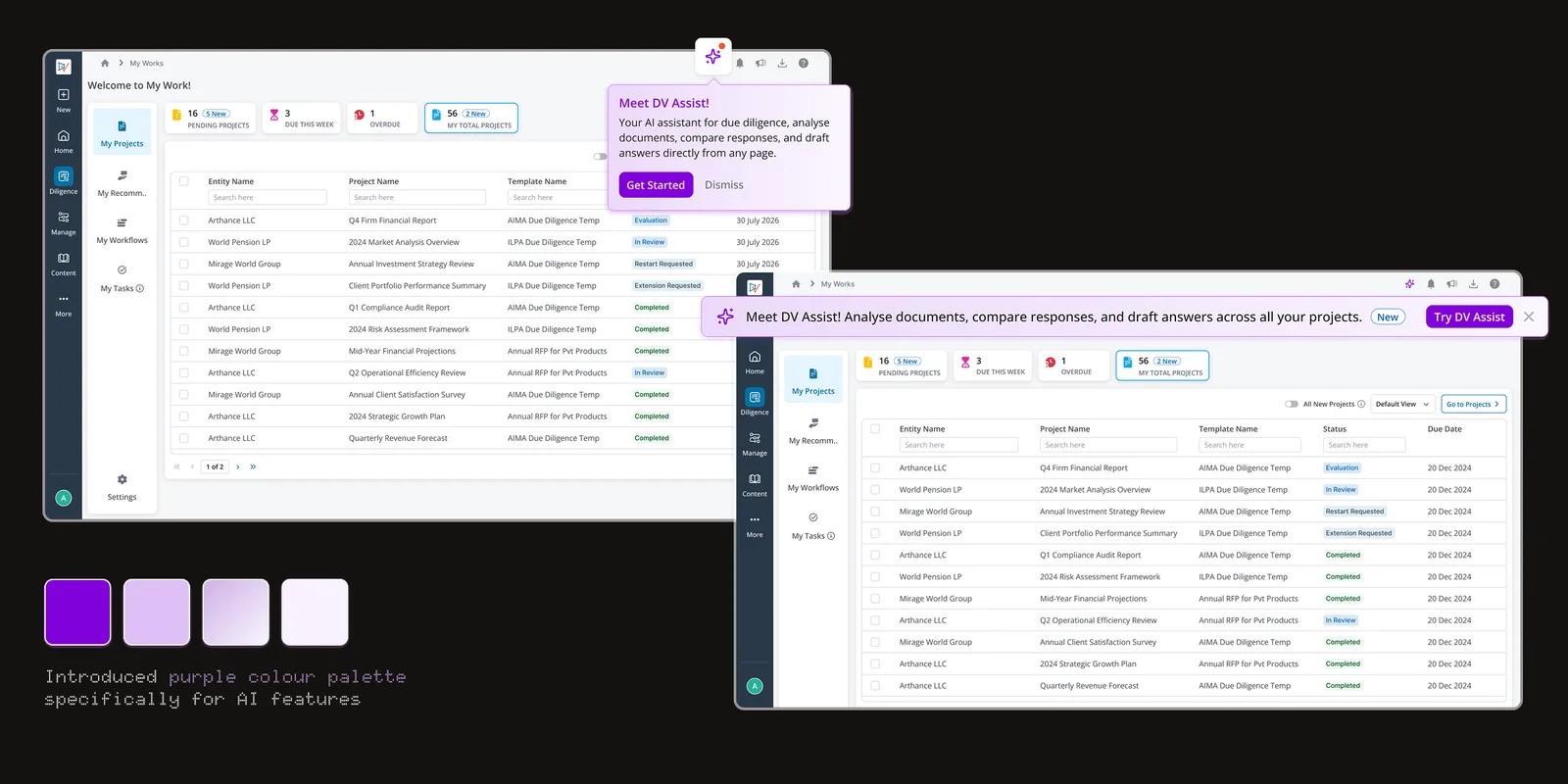
DV Assist needed to feel like part of the platform from the first login, not a feature users had to discover on their own. We designed zero states and contextual welcome banners that introduce the assistant exactly where it’s needed, inside the Template Builder and inside live projects, so investors and managers land directly in DV Assist instead of hunting for it.
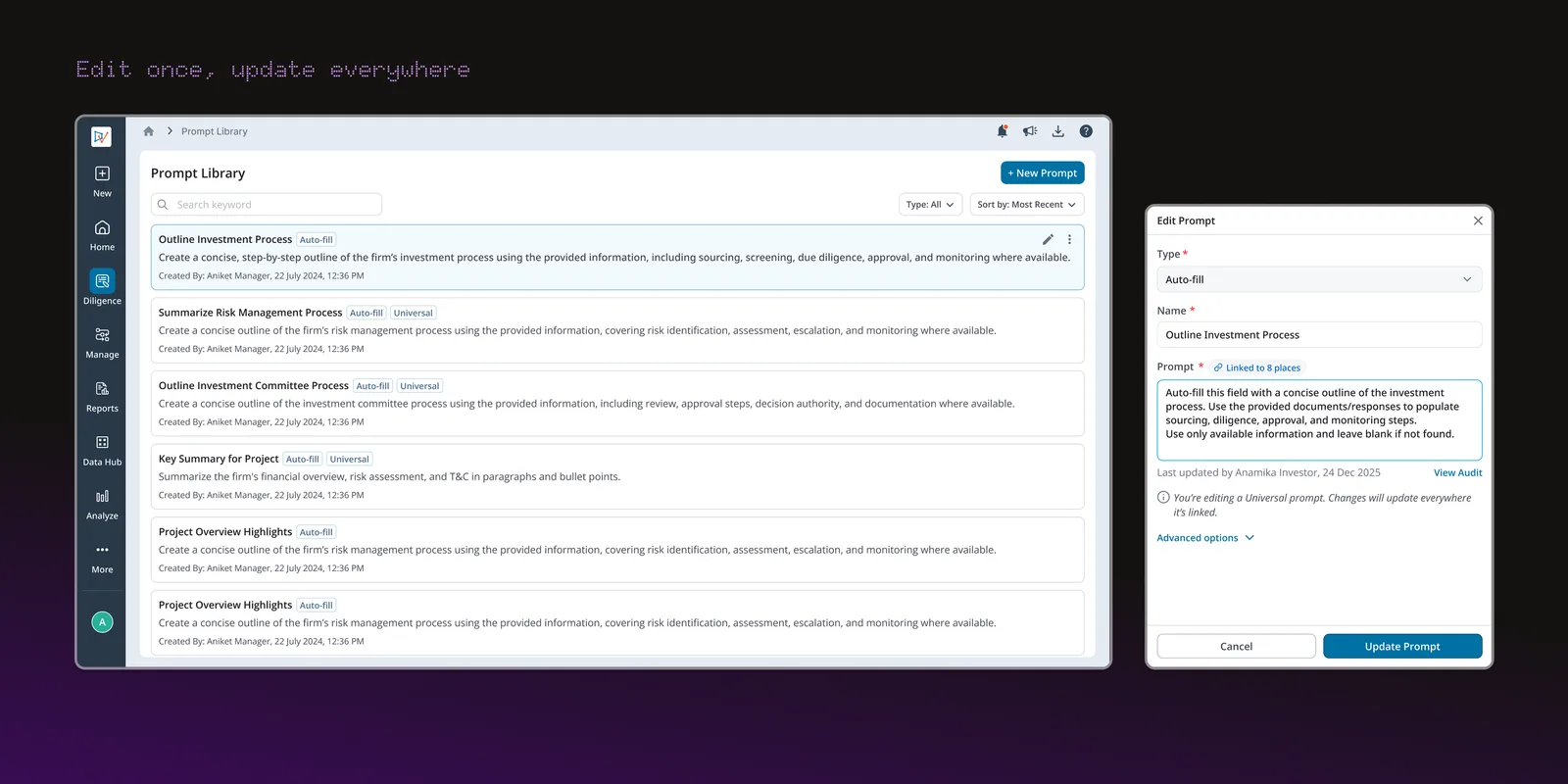
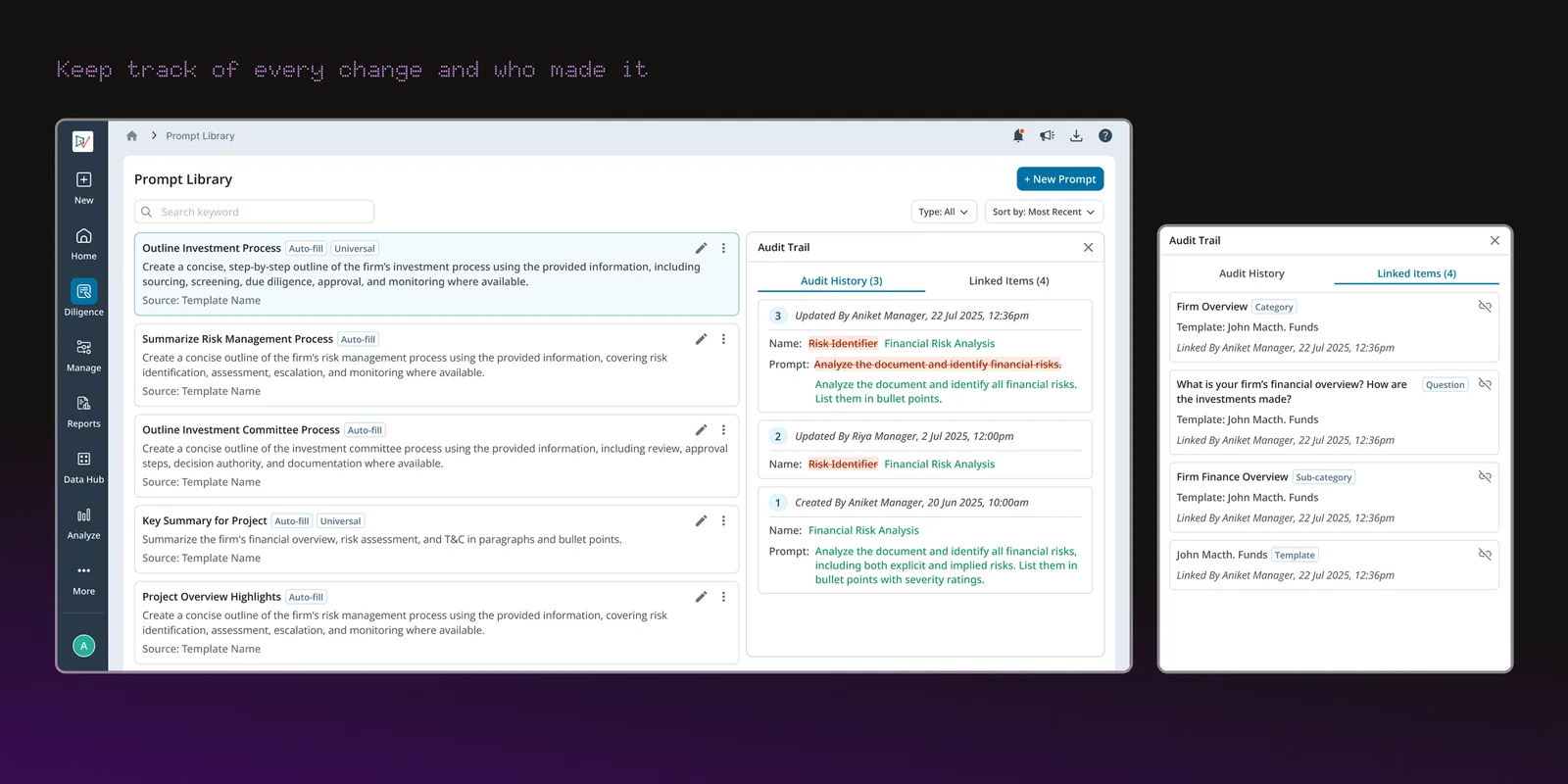
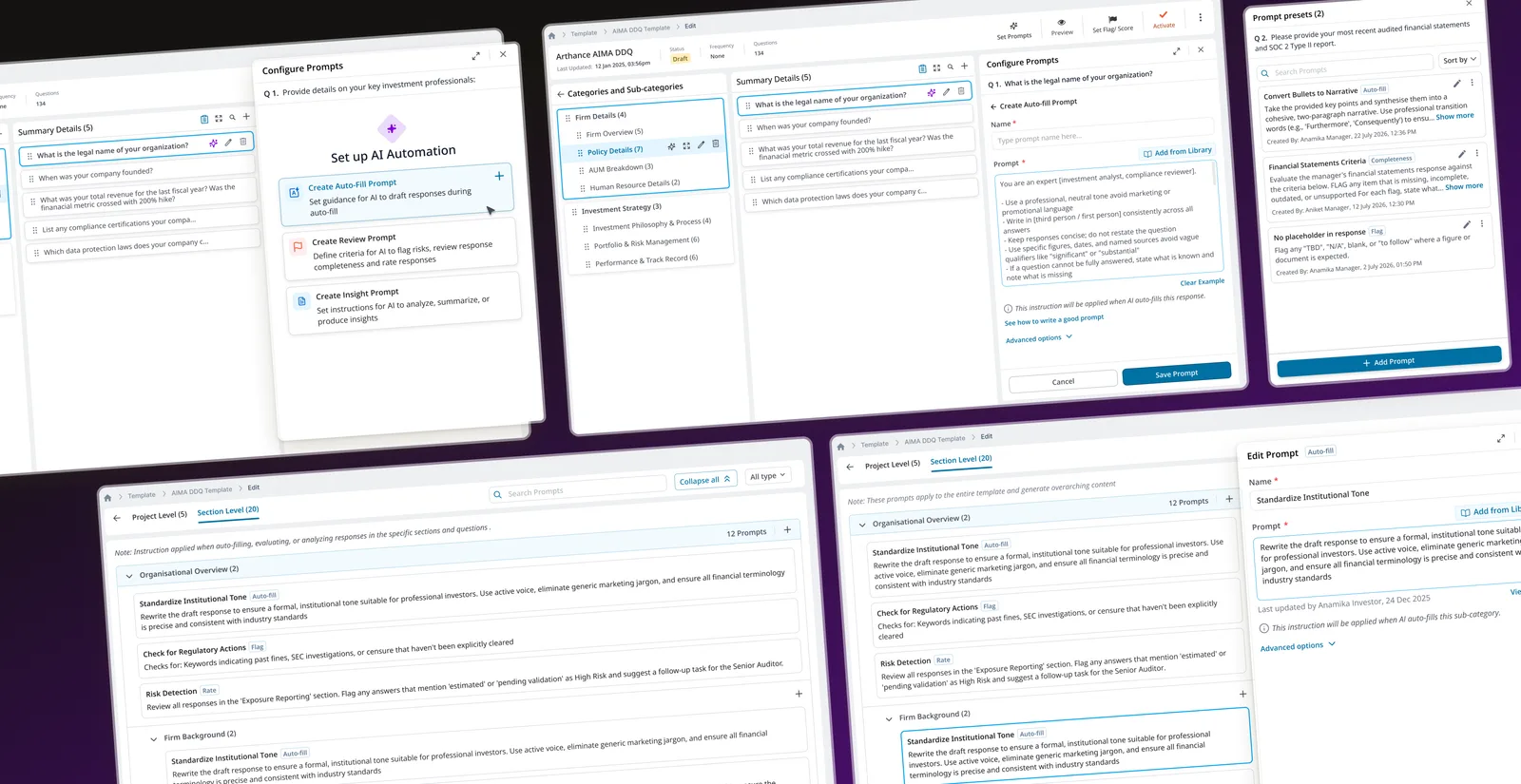
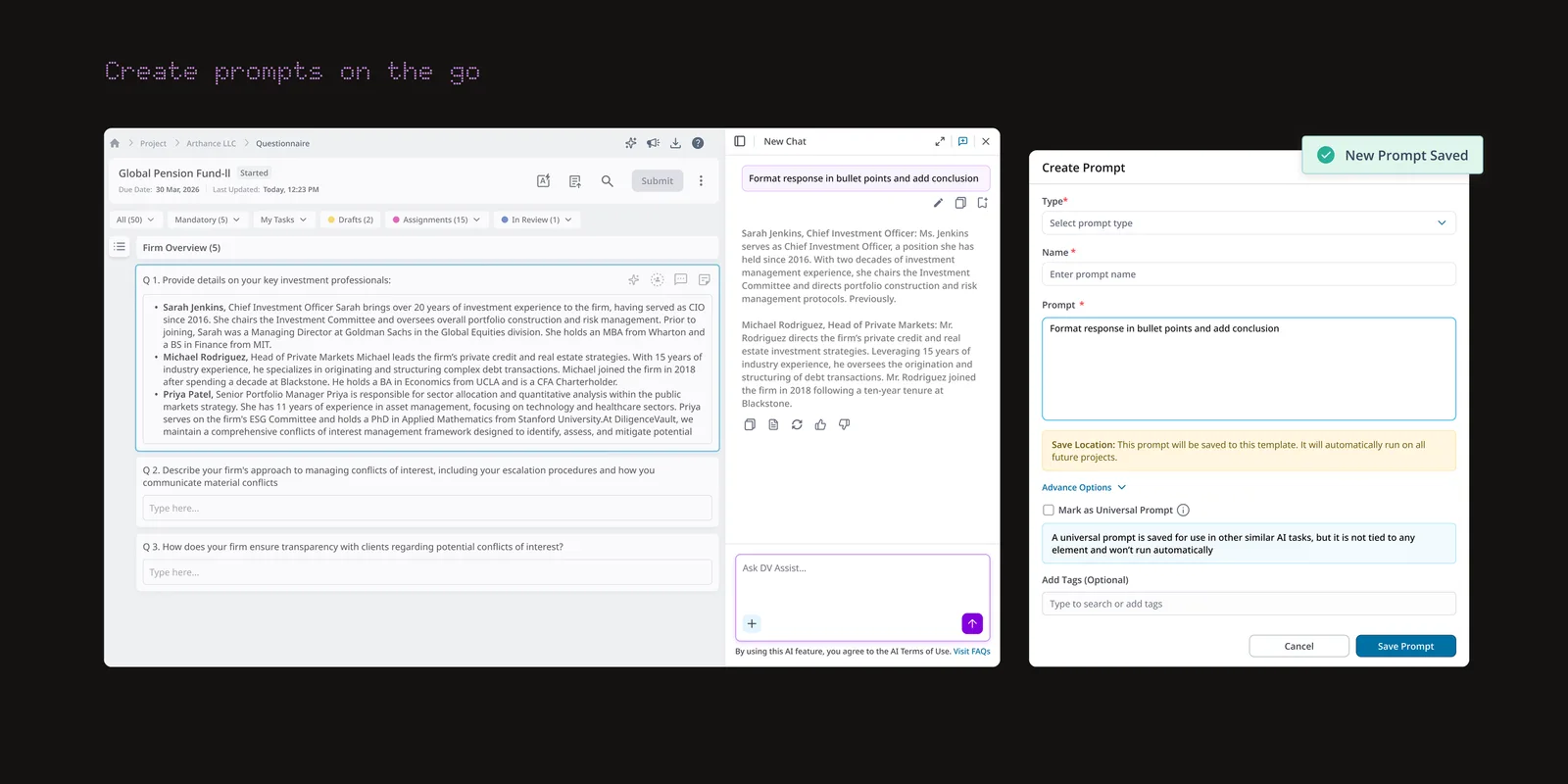
Investors needed a way to set standards once and have them apply everywhere responses get drafted. In the Template Builder, we gave them a dedicated space to create every prompt type, tag and organize them for reuse, and mark any prompt as Universal, so an edit in one place updates every linked project automatically. A full audit trail shows exactly what changed, when, and by whom, so governance never comes at the cost of visibility.
Setting standards up front wasn’t enough; investors and managers needed to act on them inside live projects too. DV Assist lives inside every project as a persistent chat panel: managers can generate and replace responses in place, and investors can pull any prompt from the library without leaving their workflow. The system remembers where you left off, so switching between questions never means losing your work.
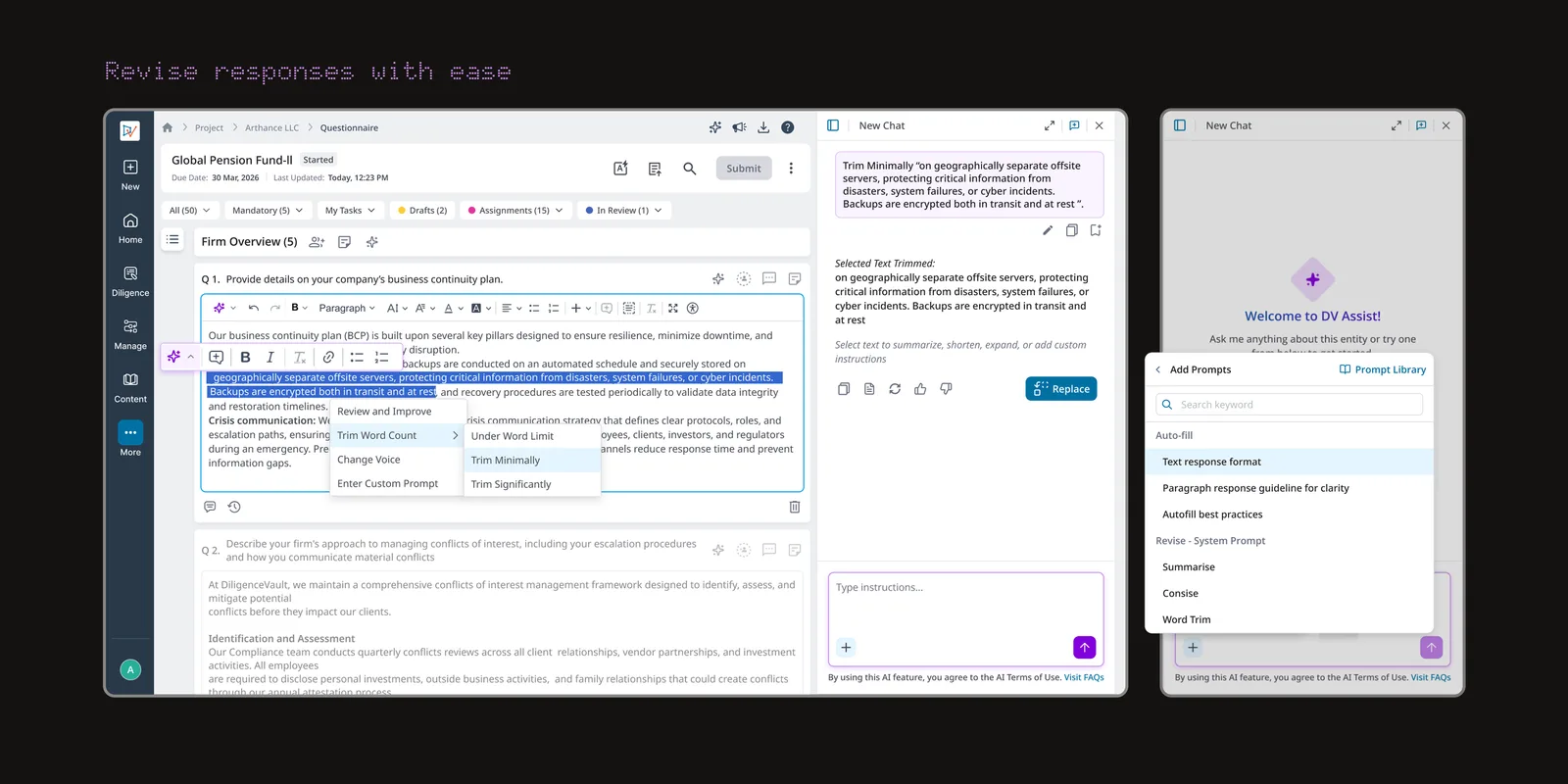
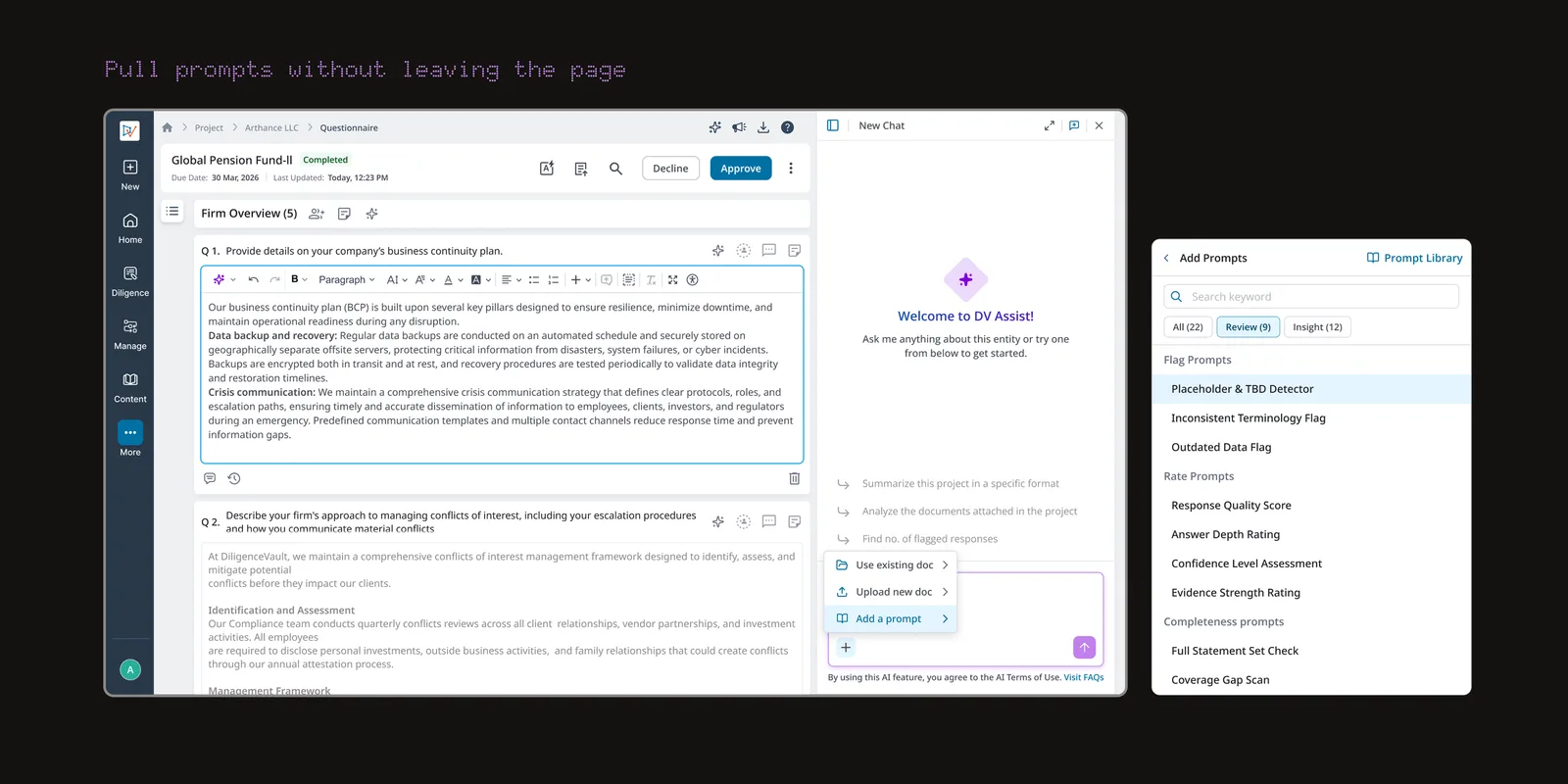
As the library grew, investors needed a single place to manage everything already created, not just add to it. The Prompt Library gives them one place to search, edit, and delete any prompt, with full audit history showing every revision and who made it. For Universal prompts, it also shows every linked template and project, so investors can see the full reach of a prompt before changing it.